Module 2: Behavioral DOS (BADOS) Protection
F5’s AWAF product include advanced functionality for defending L7DoS attacks. While there are well described self-paced labs available on Clouddocs, the goal of this article is to focus on the Behavioral DOS Dashboard improvements, rather showing the Behavioral DOS Protection configuration.
Note
If you are intrested into the Behavioral DOS Protection configuration, please visit Introduction to L7 Behavioral DoS.
Behavioral DOS Protection Overview
With TMOS Release 14.1 a new enhanced BADOS (Layer 7 Behavioral DoS) Dashboard was introduced. Use Case of the new Dashbaord: A customer would use this dashboard to get visibillity into Denial of Service attacks which are tracked and mitigated Behavioral DoS.
Note
The dashboard is reached via Statistics > Dashboard and selecting Behavioral DoS from the menu of dashboards.
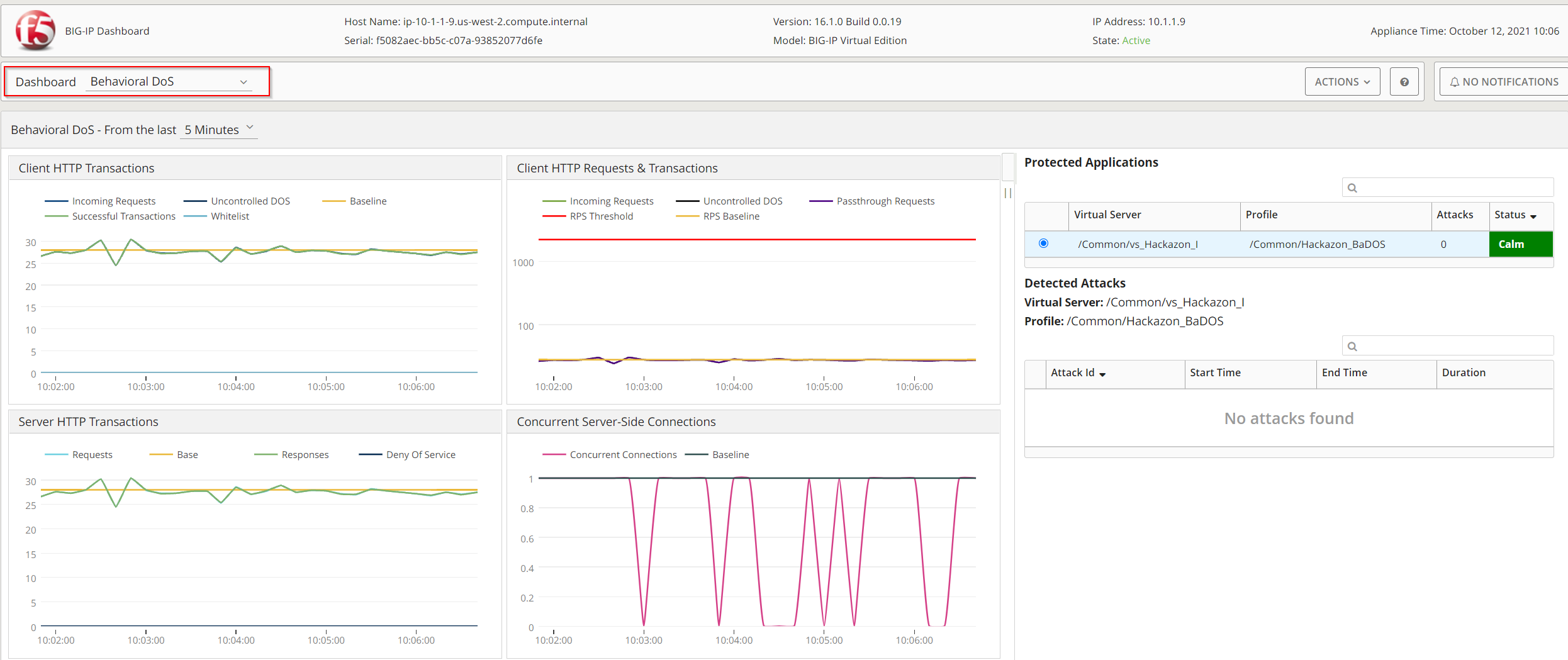
The new dashboard provides:
Client HTTP Transactions
Client HTTP Requests & Transactions
Server HTTP Transactions
Concurrent Server-Side Connections
Server Stress
Server Queue
TLS Handshake
Connections Mitigation
Layer 3-4 & SSL Mitigations
HTTP Mitigation
CPU - Utilization
Memory - Utilization
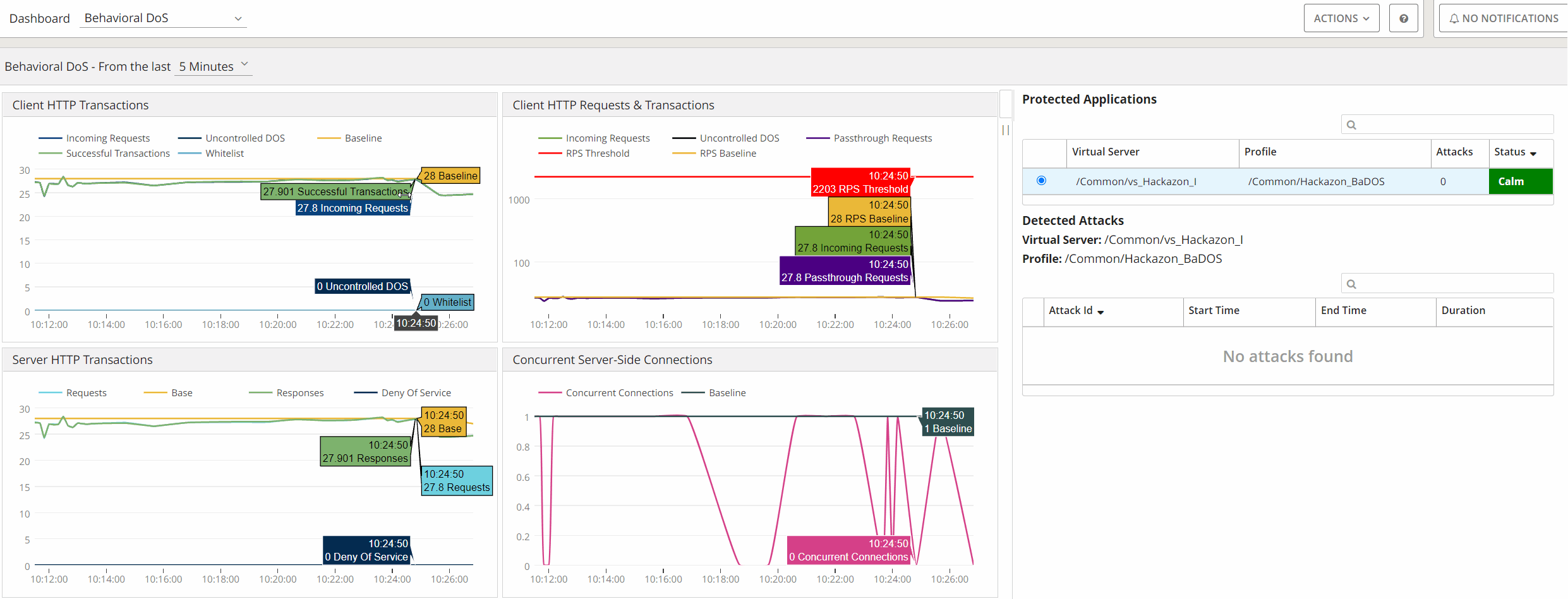
The new Dashboard also provide the ability to:
Zoom-in and Zoom-out
Show legends of each chart, on placing mouse on any chart
Custom time selection view
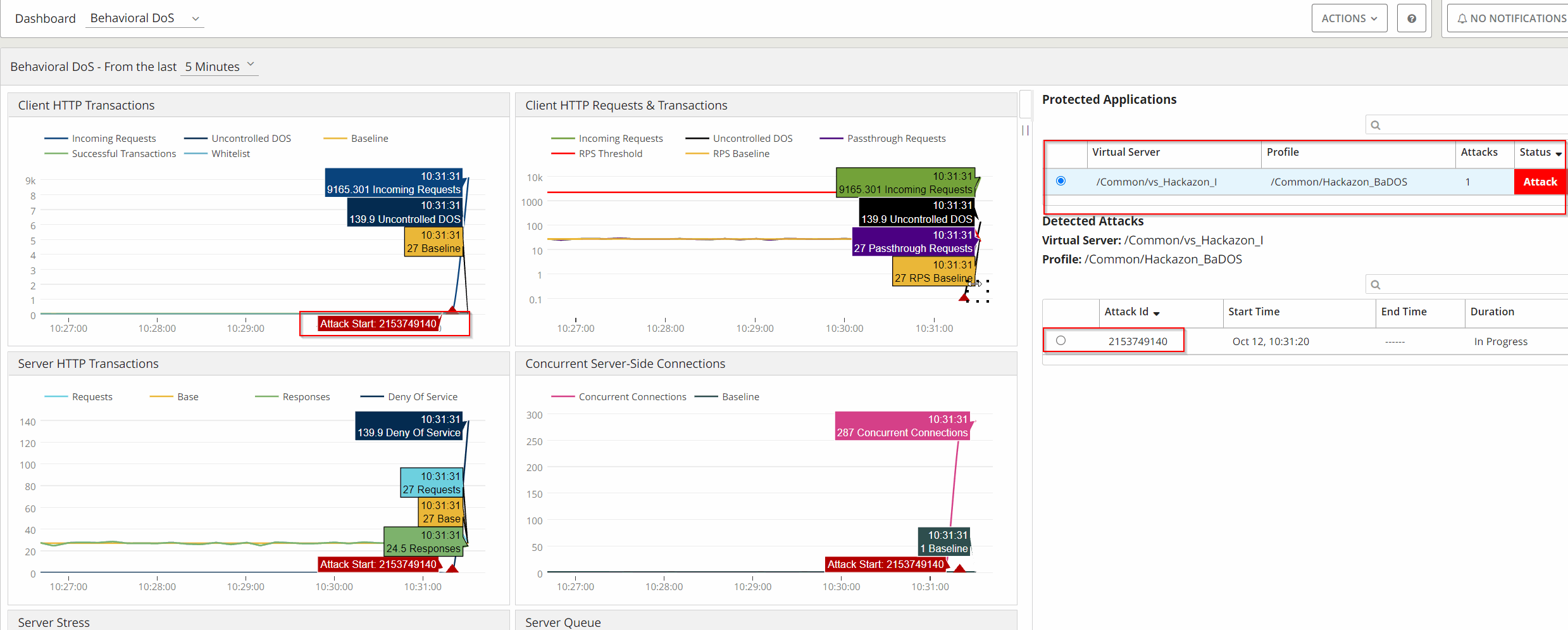
When an Attack is been recognized the new Dashbaord will provide details about:
Status of the Protected Application - change from “Calm” to “Attack”
Attack ID
Information on the Server Stress Level
Mitiagtion Action