Module 1: Leaked Credential Check - Credential Stuffing
In this module, we will Demo Leaked Credentials Check (LCC) to detect ATO attacks and provide a compliance check for NIST guidance with a single login attempt with leaked credentials.
Warning
Don´t use the Application ID / Access Token outside of F5 and for production. Application ID / Access Token to be used for demo purposes only!!!
Leaked Credentials Check Overview
Leaked Credential Check (LCC) provides access to a database of compromised credentials, which can be used to detect ATO attacks and provide a compliance check for NIST guidance. LCC is an add-on feature to BIG-IP Advanced WAF which been consumed as a subscription service.
- Advantages of F5 Leaked Credential Check (LCC)
Integrated with F5 Advanced WAF; Can be enabled within minutes.
LCC policy can be managed and enforced by the application owner.
Flexible deployment options based on number of users; Not based on number of AWF instances.
Policy configuration and enforcement can be automated via tmsh CLI and BIG-IP REST API.
Flow trough the Demo
LCC is configured on BIG-IP named BIG-IP 16.1 - All Demos.
Login to that BIG-IP instance to check the LCC configuration. The Password of the BIG-IP instance is listed within the Details / Documentation Tab.
Within Security › Application Security > Security Policies > Policies List you´ll notice a Security Policy named
LCC.The Policy is attached to Virtual Server
arcadia.emea.f5se.com_vsandHackazon_protected_vs.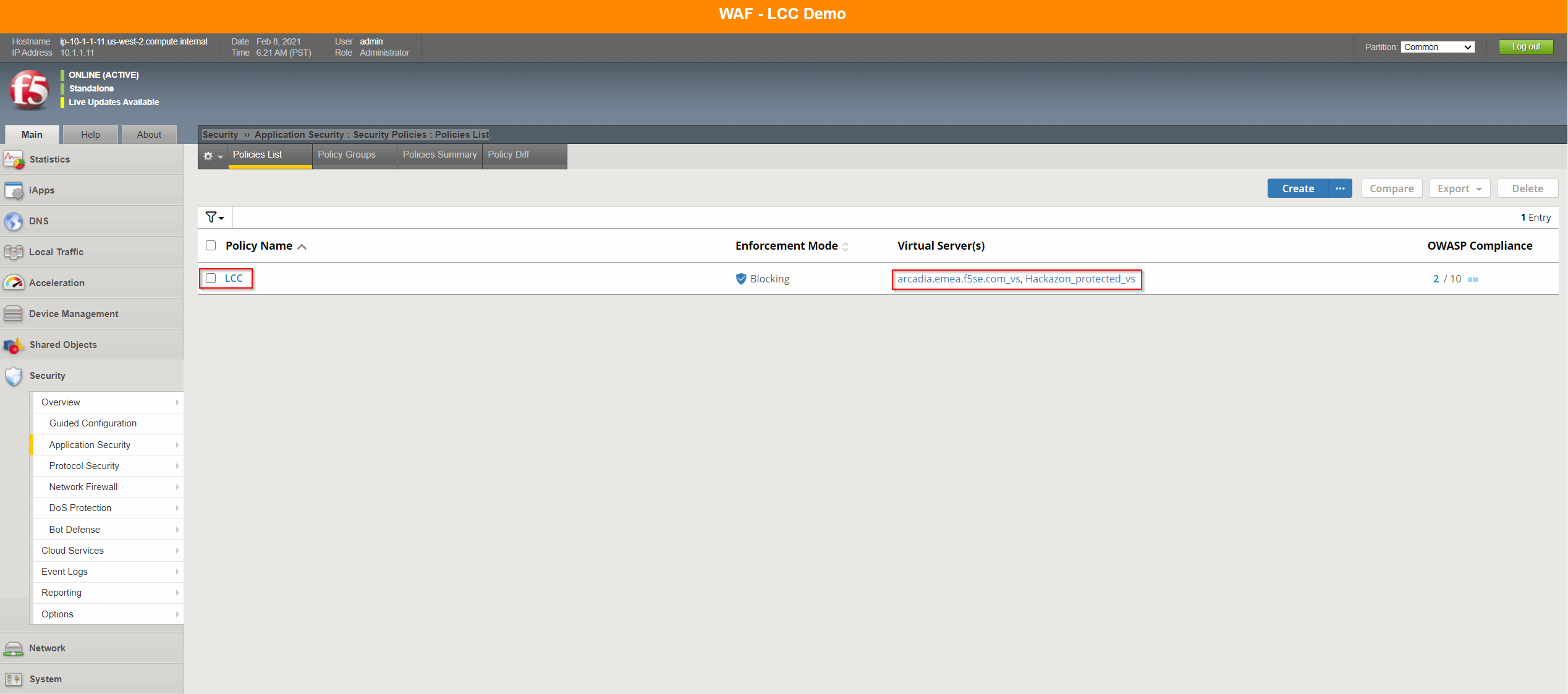
Check the LCC configuration under Security › Cloud Services > Cloud Security Services Applications > f5-credential-stuffing-cloud-app.
You will notice a predefined API Key ID and API Key Secret configuration. Additional the Endpoint which will be used is called
f5-credential-stuffing-blackfish.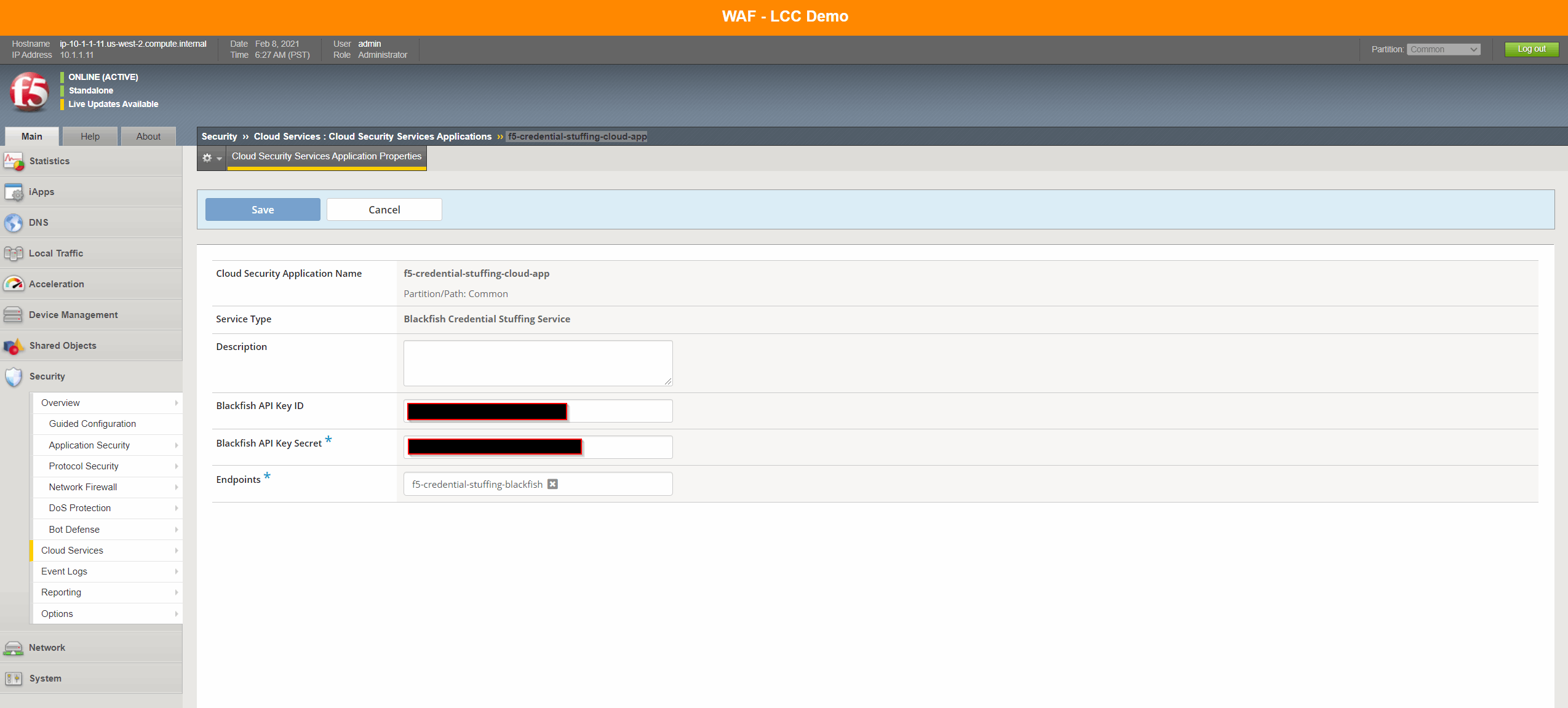
Note
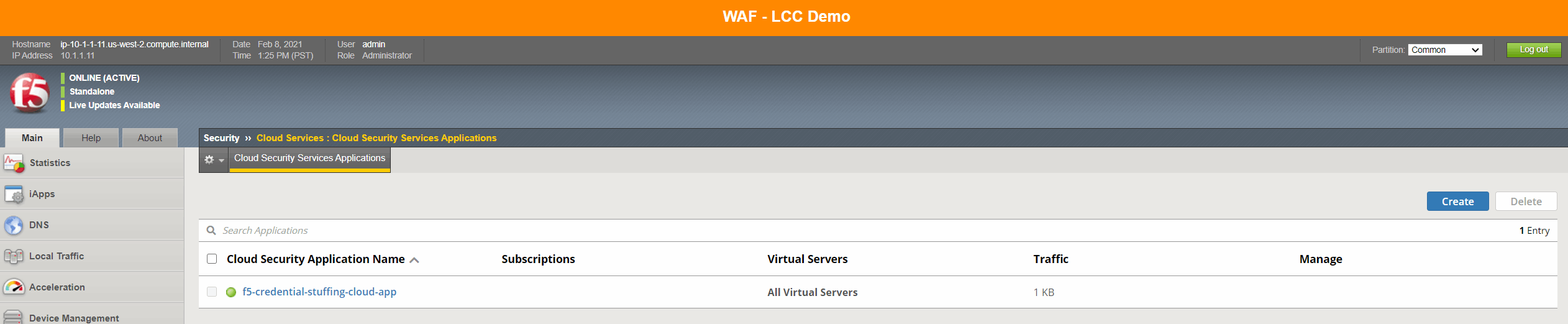
In the 15.1.1 the colour of the traffic light only reflects what happened when a credential check attempt was last made. Before that the icon will stay blue (unknown). lt is not a health monitor which can be used to indicate the current state of the service or whether the service has expired etc.
The LCC feature is configured within the Brute-Force Protection profile. Normally a login page is specified for the login credentials to be captured by Advanced WAF. The information required to manually identify the login URL can be found by reviewing the HTML source code and snooping the HTML traffic generated as a user logs into the site (e.g. keyboard F12).
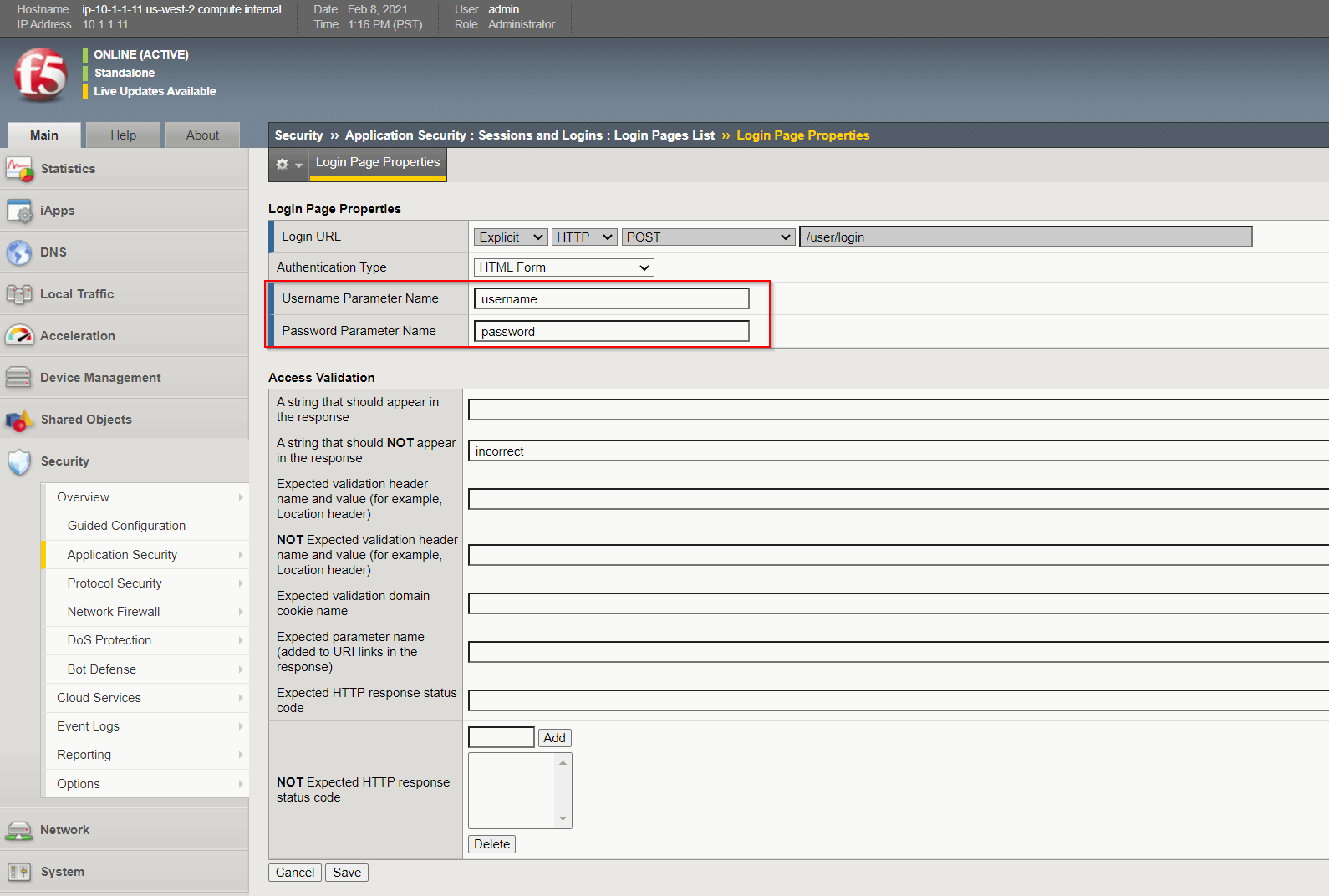
Note
There is also the option to create login pages automatically Creating Login Pages for Secure Application Access.
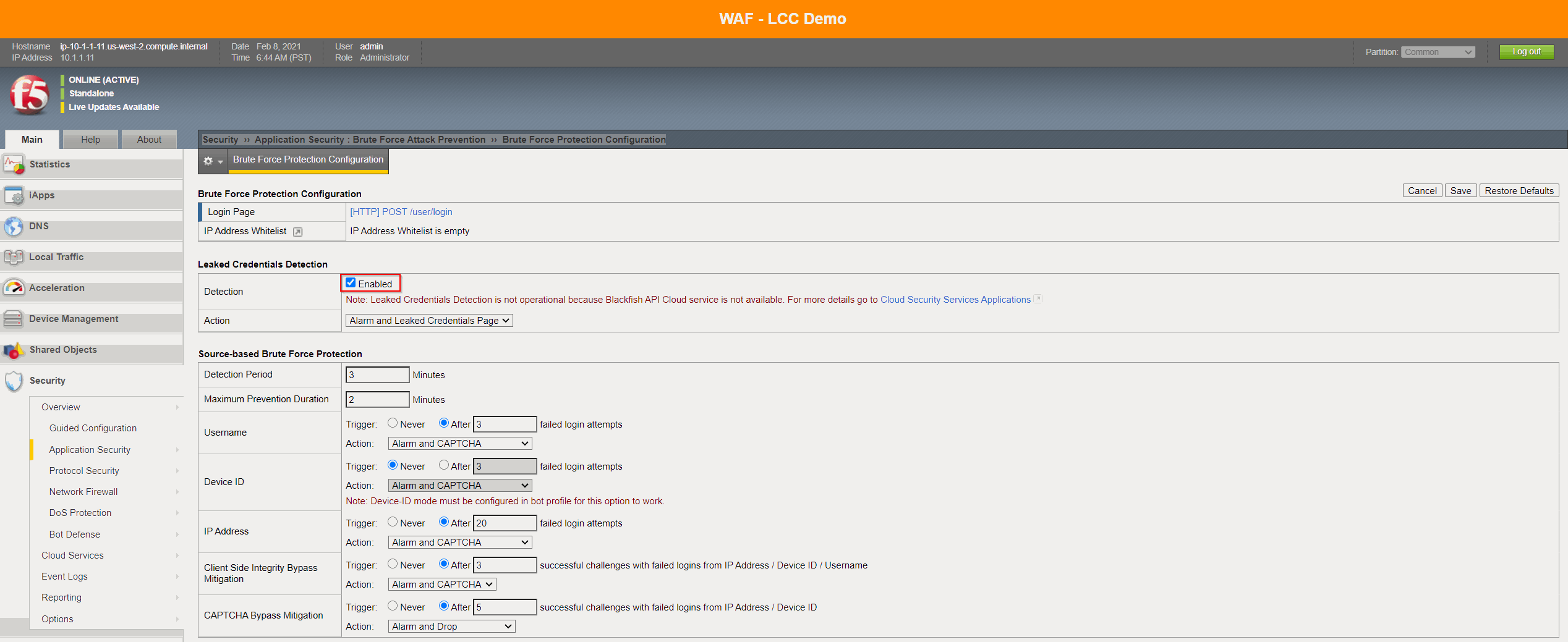
Leaked Credential Detection is enabled within the Brute Force Protection configuration.
The following mitigation actions can be configured as an Action:
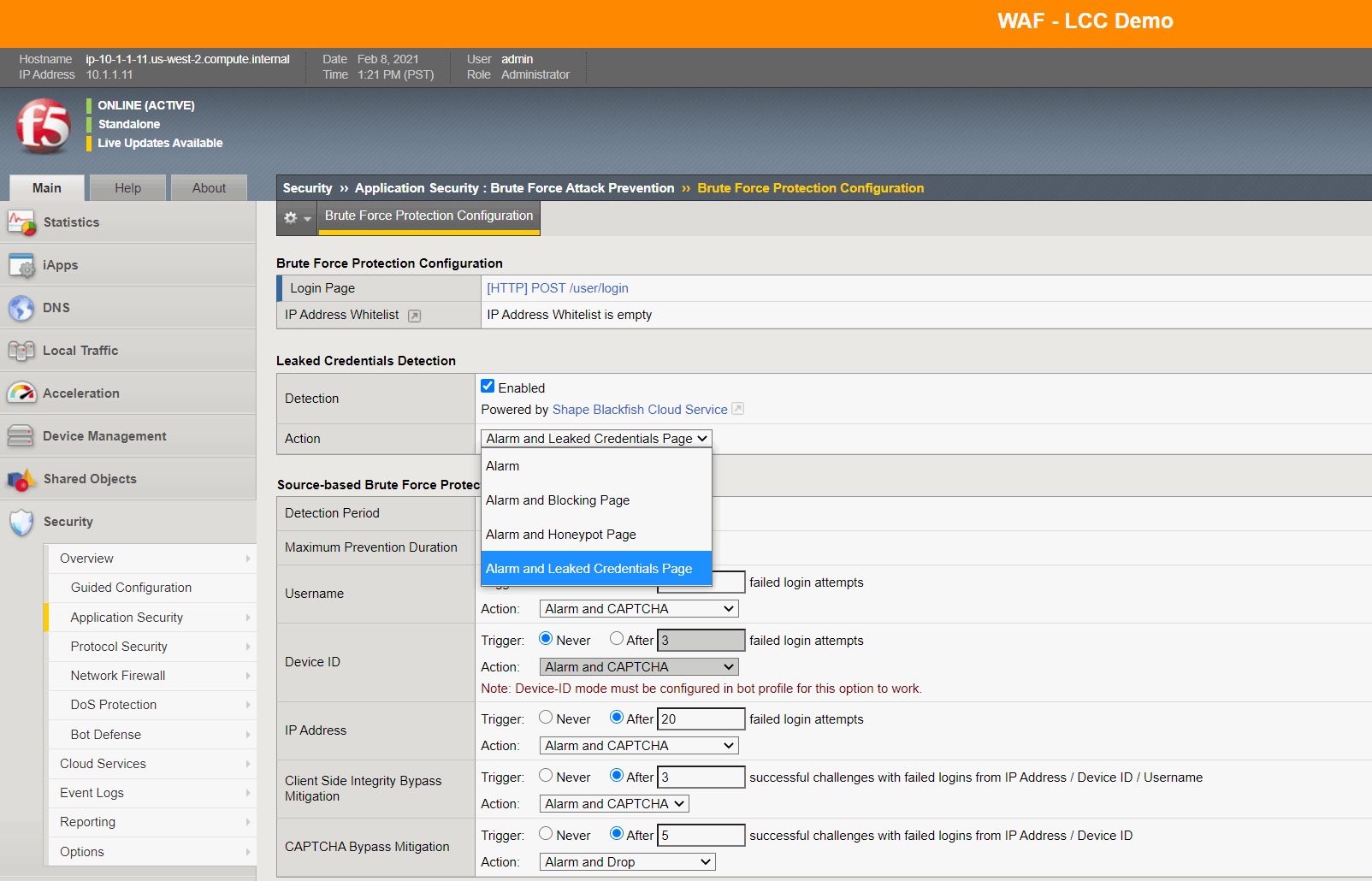
Action |
Description |
|---|---|
Alarm |
report the Leaked Credentials Detection violation in event log |
Alarm and Blocking Page |
report the Leaked Credentials Detection violation in event log and send the Blocking Response Page |
Alarm and Honeypot Page |
report the Leaked Credentials Detection violation in event log and send the Honeypot Response Page |
Alarm and Leaked Credentials Page |
report the Leaked Credentials Detection violation in event log and send the Leaked Credentials Page |
Within that demo
Learning and Blocking Settingsfor Leaked Credential Detection have been set toAlarmandBlock.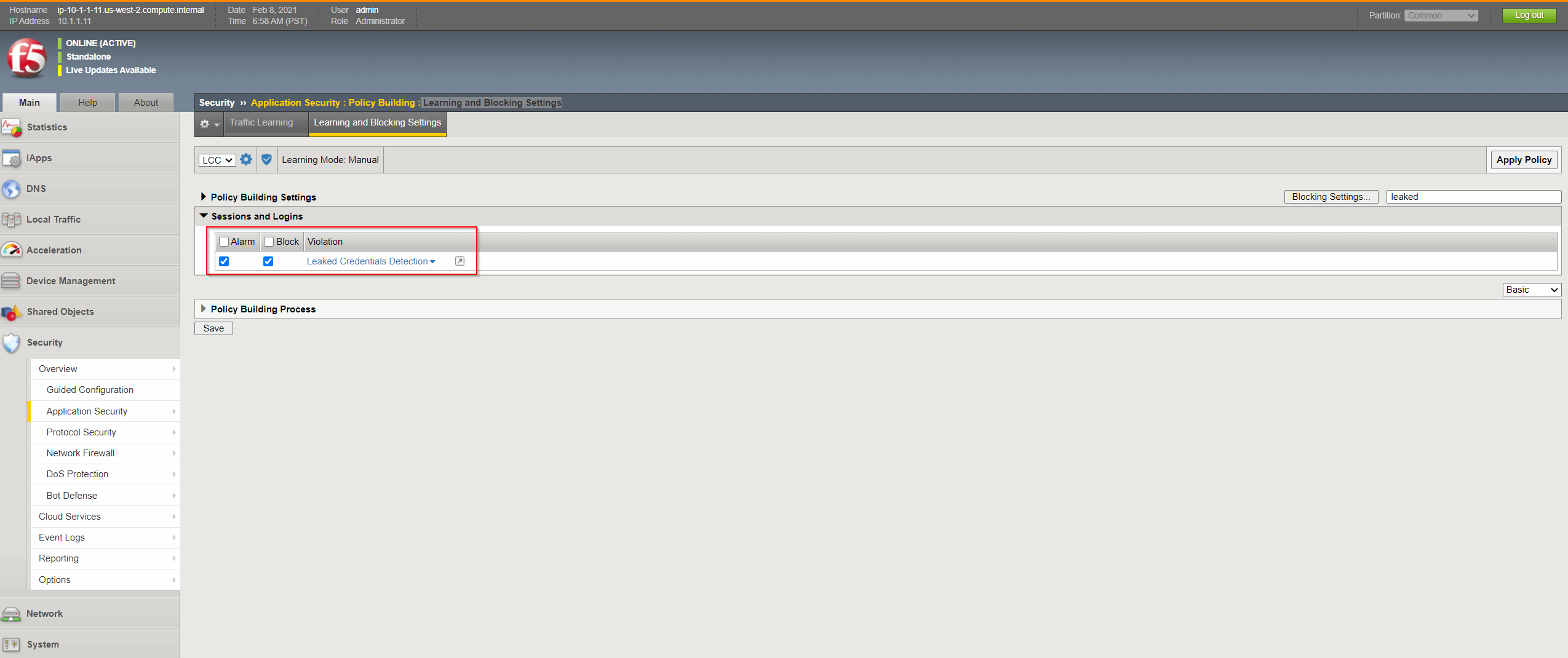
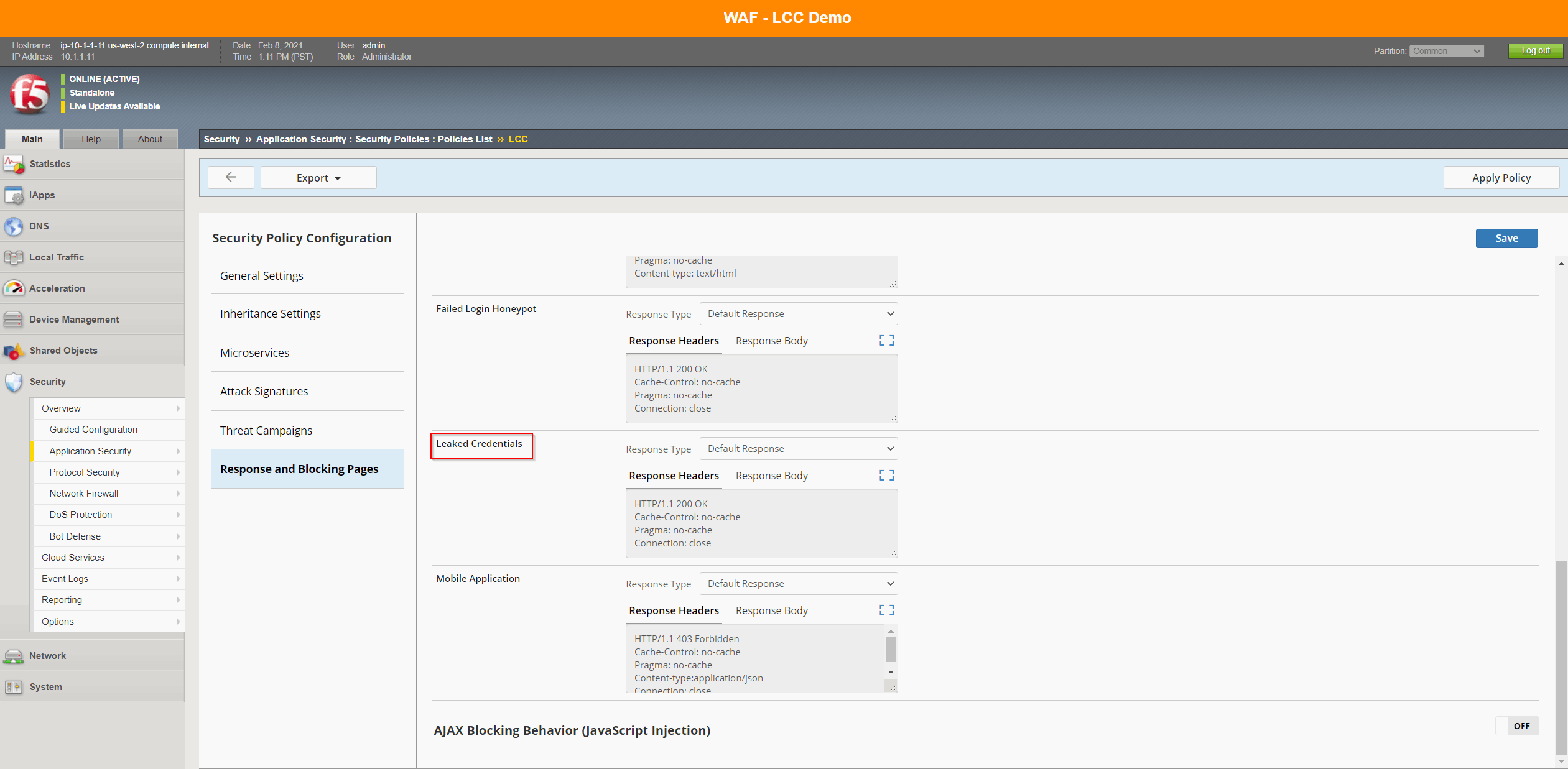
The Honeypot Page and the Leaked Credentials Page can be configured in the Response and Blocking Pages screen (see screenshot below).
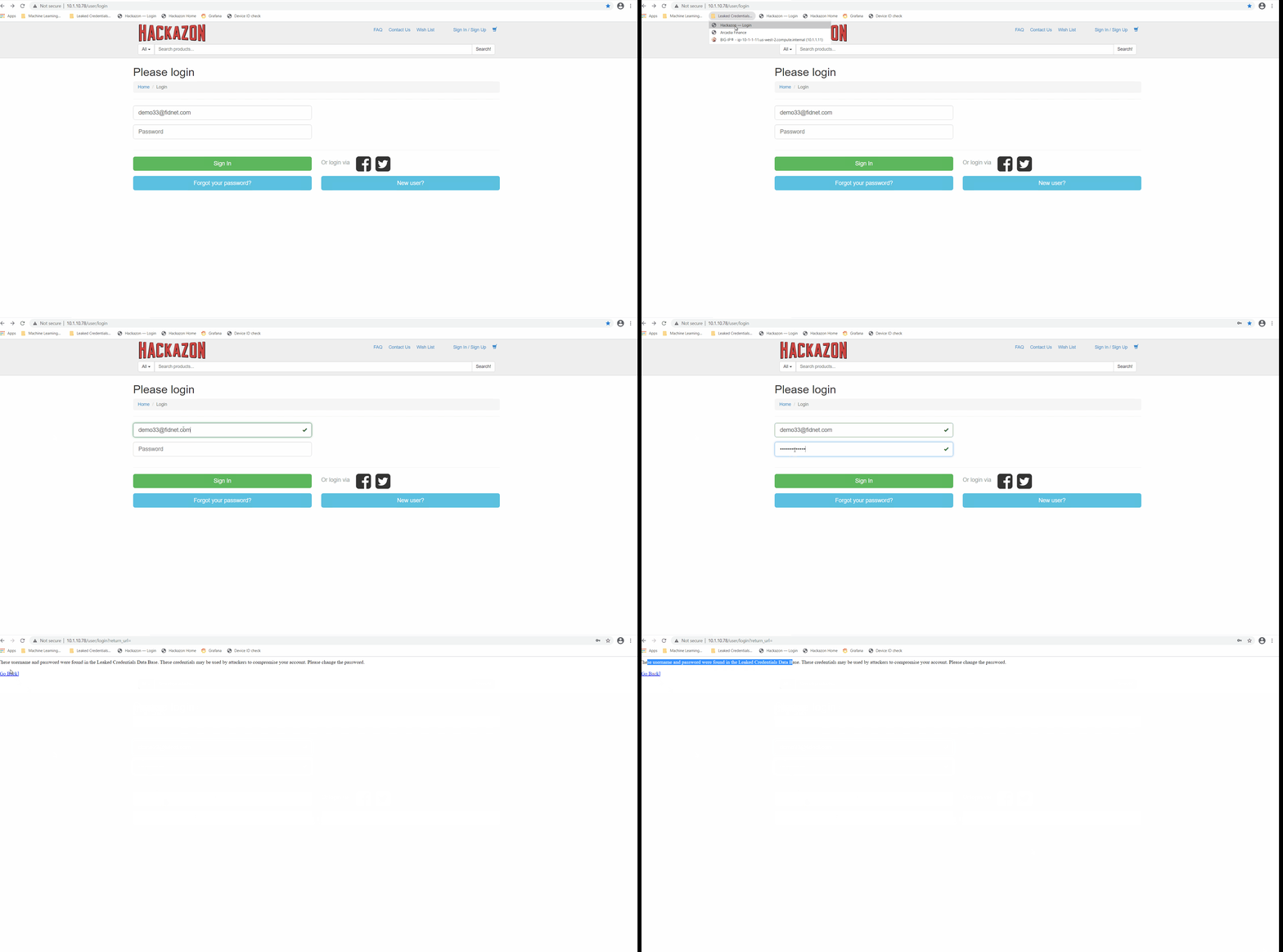
- RDP to windows machine called win-client. The Password of the instance is listed within the
Details / DocumentationTab. Launch Chrome. Spot the Folder called
Leaked Credentials Check demo.Choose the bookmark called
Hackazon — Login.Login with username
demo33@fidnet.comand passwordmountainman01Your login is blocked by LCC as those credentials are known as leaked credentials.
Alternatively you can also select the Arcadia bookmark in the
Leaked CredentialsChrome Folder and you can also try other username/password combinations like usernamadminwith password12345678.
- RDP to windows machine called win-client. The Password of the instance is listed within the
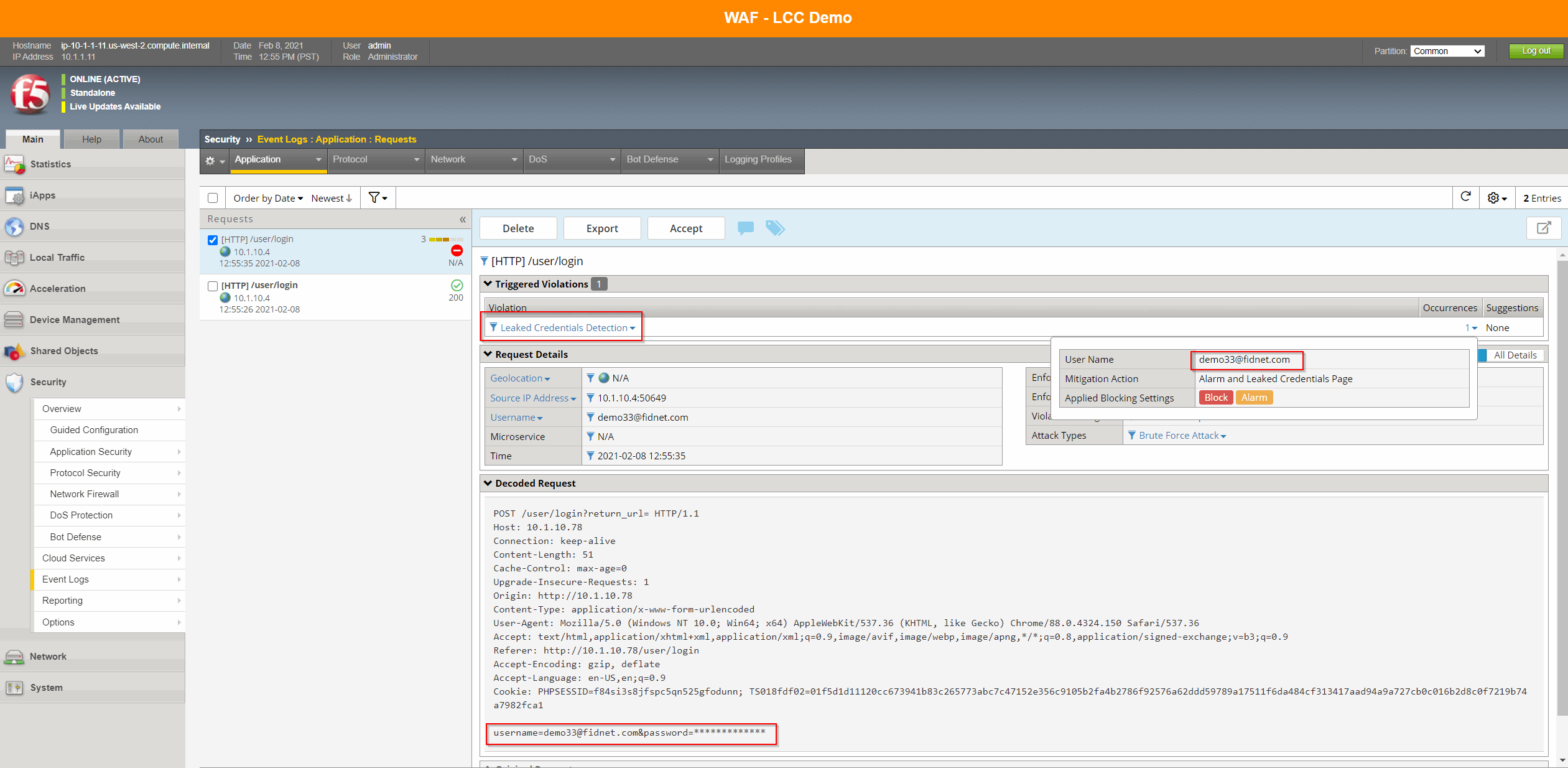
Go back to to the BIG-IP instance to check in the request log for the blocked request with the Leaked credentials detection violation.
Demo Leaked Credentials Check with a Script
Note
In this demo you can do it without ASM enabled first - Hydra will find credentials and password that worked, and then do it with ASM enabled.
- Remove ASM policy named
LCCfrom Virtual ServerHackazon_protected_virtualon BIG-IP InstanceBIG-IP 16.1 - All Demos. Launch the attack:
SSH or use Web Shell of UDF Instance called
kali.Run
sudo su.Check you are in directory /home/ec2-user, else move to this directory.
Launch the Brute Force stuffing attack (be careful, copy paste does not work every time because of the “”).
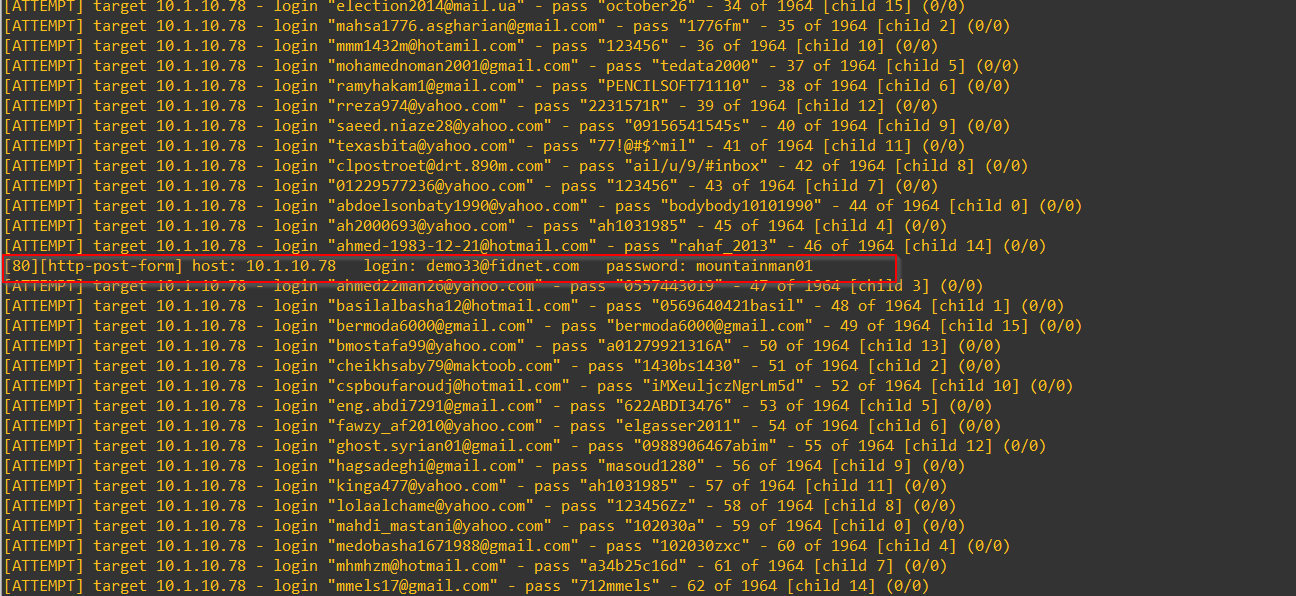
hydra -C cred_list.txt -V -I 10.1.10.78 http-form-post "/user/login?return_url=:username=^USER^&password=^PASS^:S=My Account". This is the VS on the BIG-IP namedLeaked Credential Check Demo.Within your Putty or Web Shell Session You should see one line with
[80][http-post-form] host: 10.1.10.78 login: demo33@fidnet.com password: mountainman01. This means attack passed with this credential.
Login to Hackazon (demo1/demo1 or with the previous stolen cred), to show it works and that there is no Captcha.
- Remove ASM policy named
Try with a distributed attack. Here we simulate a Bot network sending a Credential Stuffing attack with thousand leaked credentials.
Enable ASM policy
LCCon VSHackazon_protected_virtual.SSH or use Web Shell of UDF Instance called
kali.Check you are in directory /home/ec2-user, else move to this directory.
Launch the Brute Force stuffing attack (be careful, copy paste does not work every time because of the “”).
hydra -C cred_list.txt -V -I 10.1.10.78 http-form-post "/user/login?return_url=:username=^USER^&password=^PASS^:S=My Account". This is the VS on the BIG-IP namedLeaked Credential Check Demo.Keep attack on going and RDP to windows machine called
win-client.Launch Chrome and click Hackazon login bookmark.
Login as demo1 / demo1, you should see a Captcha. You are a legitimate user, but the website is protecting itself. Proof you are a legitimate user by answering the CAPTCHA.
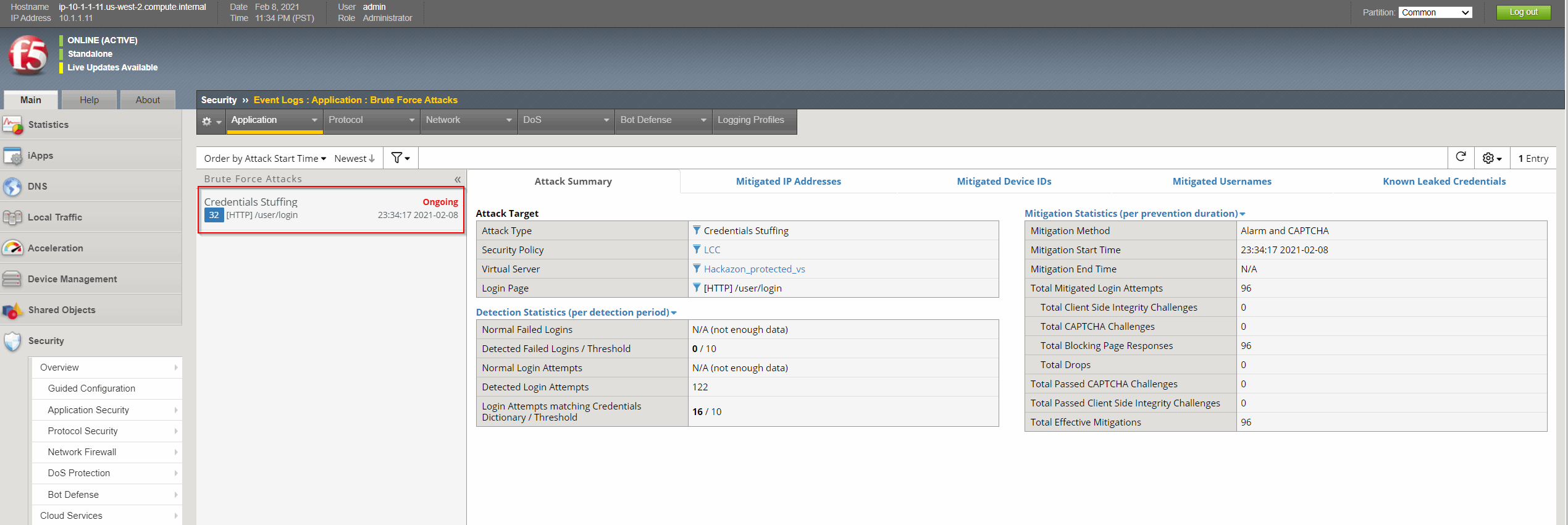
Go to BIGIP and check Brute Force and cred stuffing logs Security > Event Logs > Application > Brute Force Attack.
Additional information
The following cloud related commands could help to identify whether the cloud connection is working.
tmsh show security cloud-services application-stats
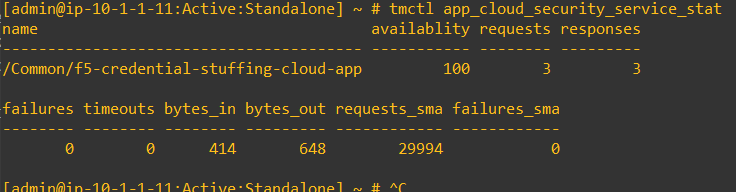
tmctl app_cloud_security_service_stat